


How to Join a DayZ Server

Joining a DayZ server is quick and easy once you have the server's IP address and port. Using Direct Connect allows you to join a specific server without needing to search through the public server list, making it especially useful for private communities, friends-only servers, or servers hosted through Nodecraft.
Open your Dashboard.
Locate your DayZ server and click Panel.
In the Server Information section, locate your server's Dedicated IP Address and Port.
Launch DayZ.
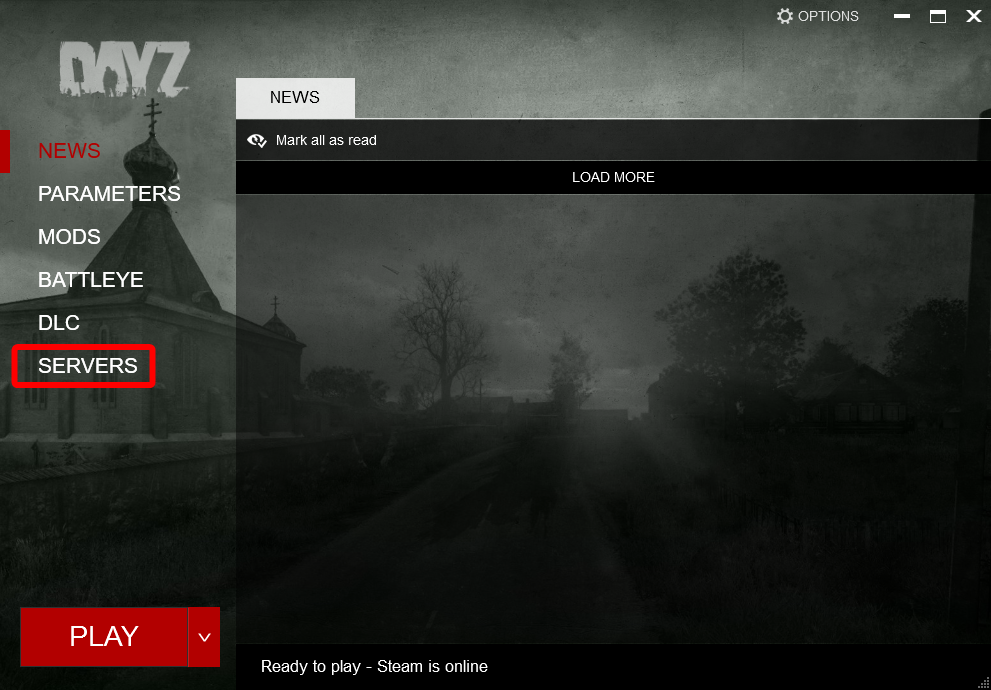
Click Servers from the main menu.
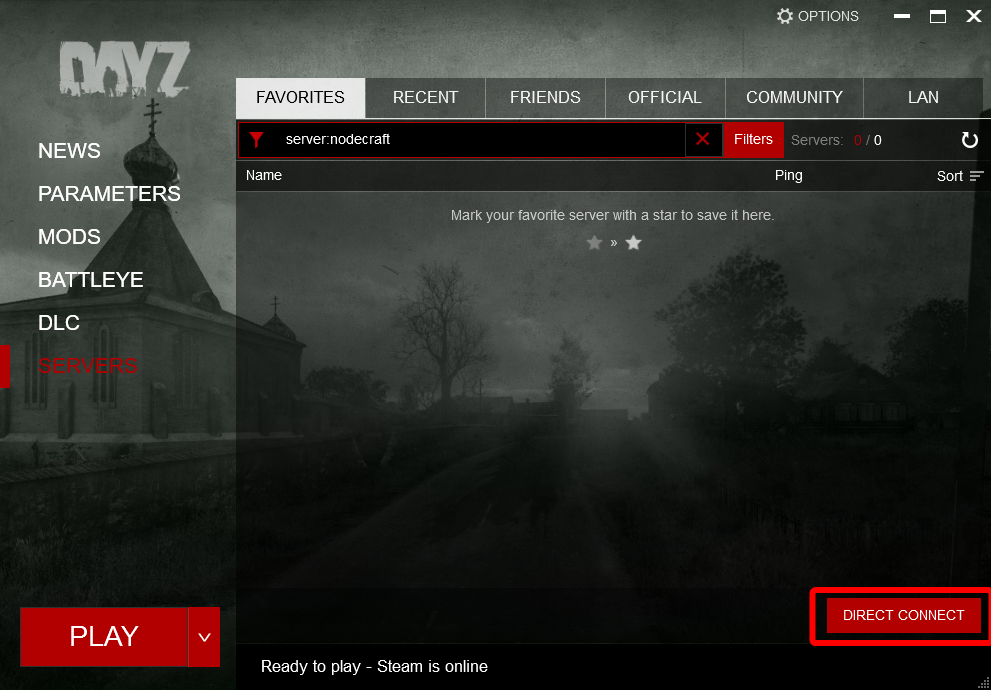
Click Direct Connect.
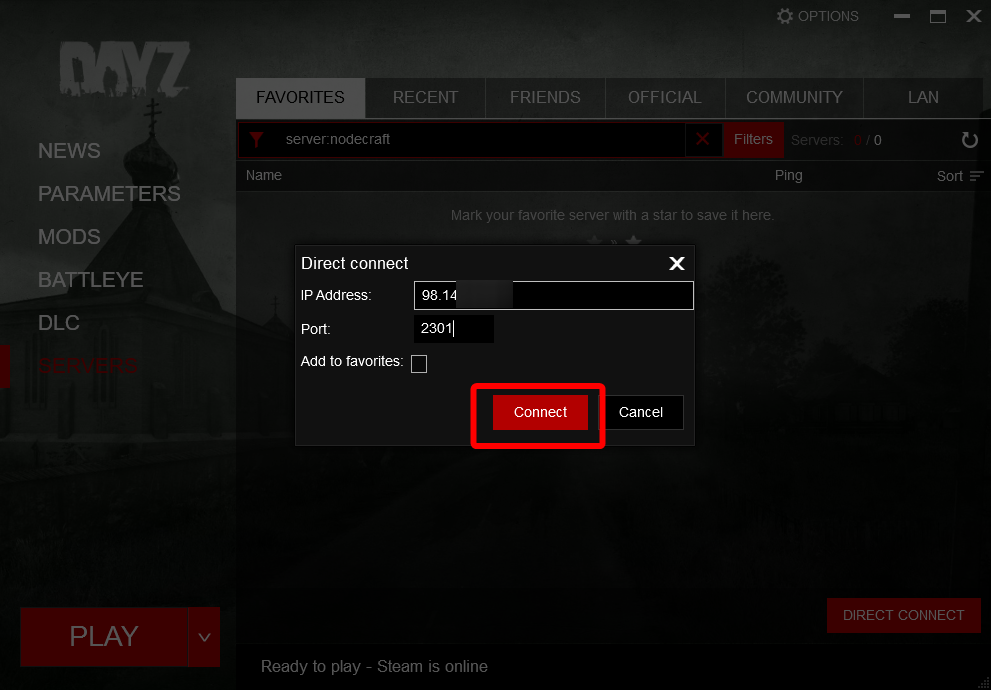
Enter your server's IP address and port.
(Optional) Check Add to Favorites if you would like the server to appear in your favorites list.
Click Connect.
When prompted, choose how you would like to handle any required mods or DLC content.
Wait for DayZ to connect to the server.
Conclusion
You're now ready to jump into your DayZ server and begin your survival journey. Just remember that surviving the connection process is usually the easiest part. Finding food, avoiding danger, and making it through the night is where the real challenge begins.
Need Help?
If you have questions or run into any issues, our support team is here to help! Reach out using the support widget on our website or visit our support center for further assistance.