


How to View Other Player's Inventories on a Hytale Server

In this guide we are going to cover how you can view other players' inventories. This function can be a very useful moderation tool for your Hytale server to make sure that all items a player is carrying were acquired legitimately or that a player is not carrying items that are not allowed. You could also use this if you wanted to securely transfer an item to another player.
Viewing Inventories
Open Hytale and join your server.
Once connected to your server, open your chat/command.
Run the command /inventory see (target player)
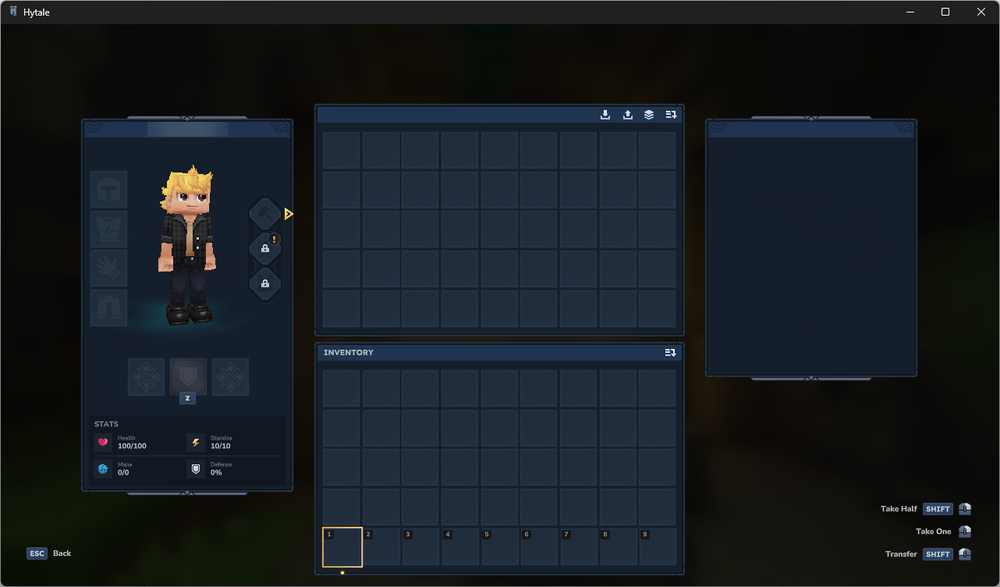
An inventory window opens. Your inventory will be on the lower half of the screen, and the target players inventory will be above yours.
Conclusion
You have now successfully opened another player's inventory. By default, this function is restricted to those with Admin/OP permissions, but you can also assign the permissions to other players/groups if you’d like.
Need Help?
If you have questions or run into any issues, our support team is here to help! Reach out using the support widget on our website or visit our support center for further assistance.