


How to Reset your Server

Need to reset your server and start from scratch? This guide covers how to do a full wipe and fresh install using Nodecraft’s One-Click Installer. Perfect for clearing out old worlds, broken mods, or just starting over clean.
Using the Control Panel
Stop your server from the panel.

Go to the One-Click Installer page from the left menu.
Click Change Version or select a version if prompted.

Select Fresh Install as the install method. This will wipe your current files.
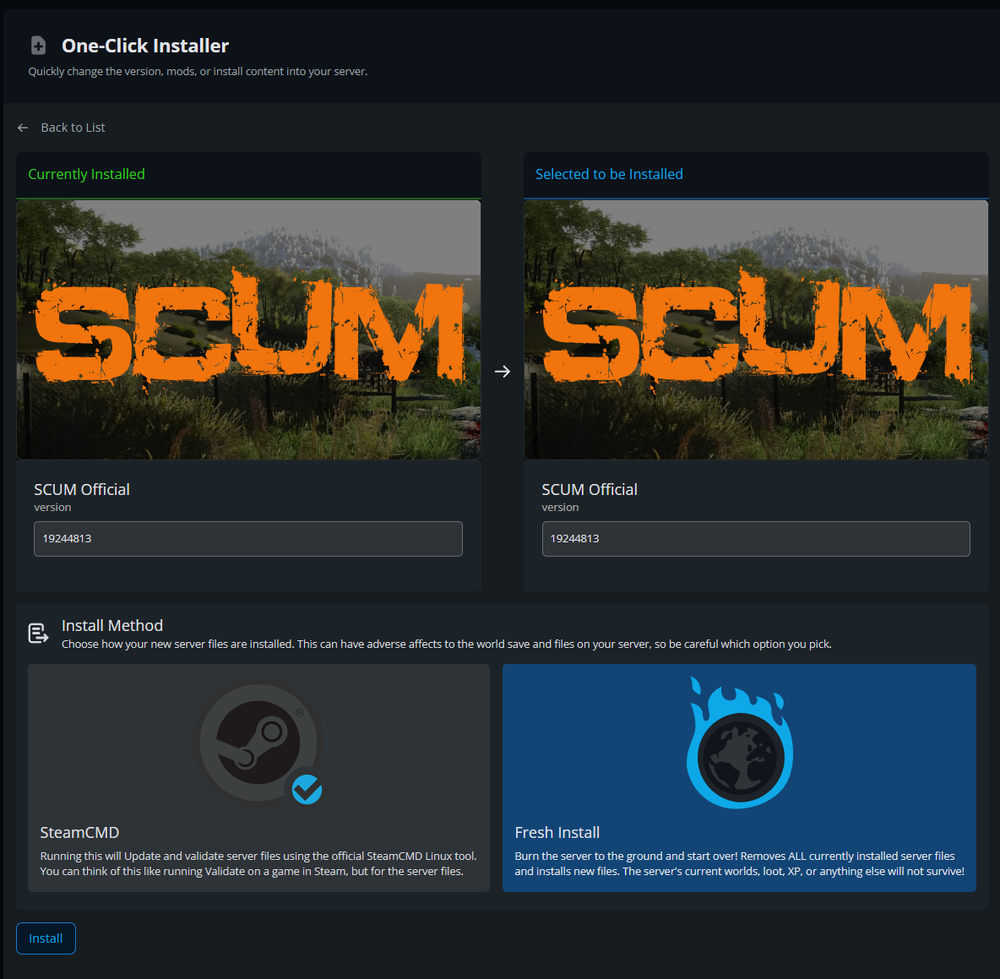
Click Install and wait for the installation to complete.
Once finished, start your server from the panel.

Note: Be aware that fresh installing will remove any world data and custom configs unless you've backed them up.
Need Help?
If you have questions or run into any issues, our support team is here to help! Reach out using the support widget on our website or visit our support center for further assistance.