


How to Change Sandbox Settings on a 7 Days 2 Die Server

This guide is going to cover how you can change the sandbox settings on your 7 Days 2 Die server. Sandbox settings are preset difficulties that you can select from a list or import your own custom setup. You are also able to generate a custom code if you don’t want to use one that is already available on the panel or that you have sourced elsewhere.
Setting a Code
Open your Dashboard
Locate your 7 Days 2 Die server and click on the Panel button.
Once on your panel, click on Game Settings.
Once on the game settings page, click on Sandbox.
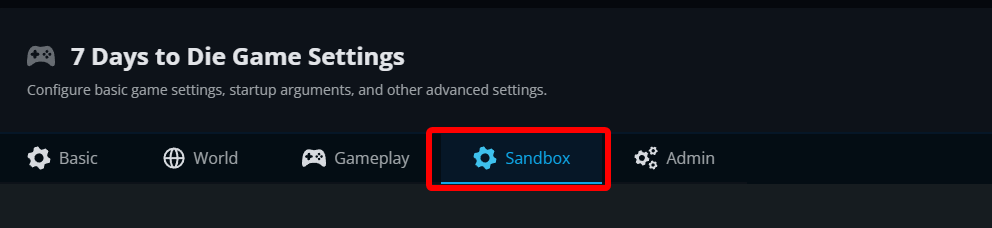
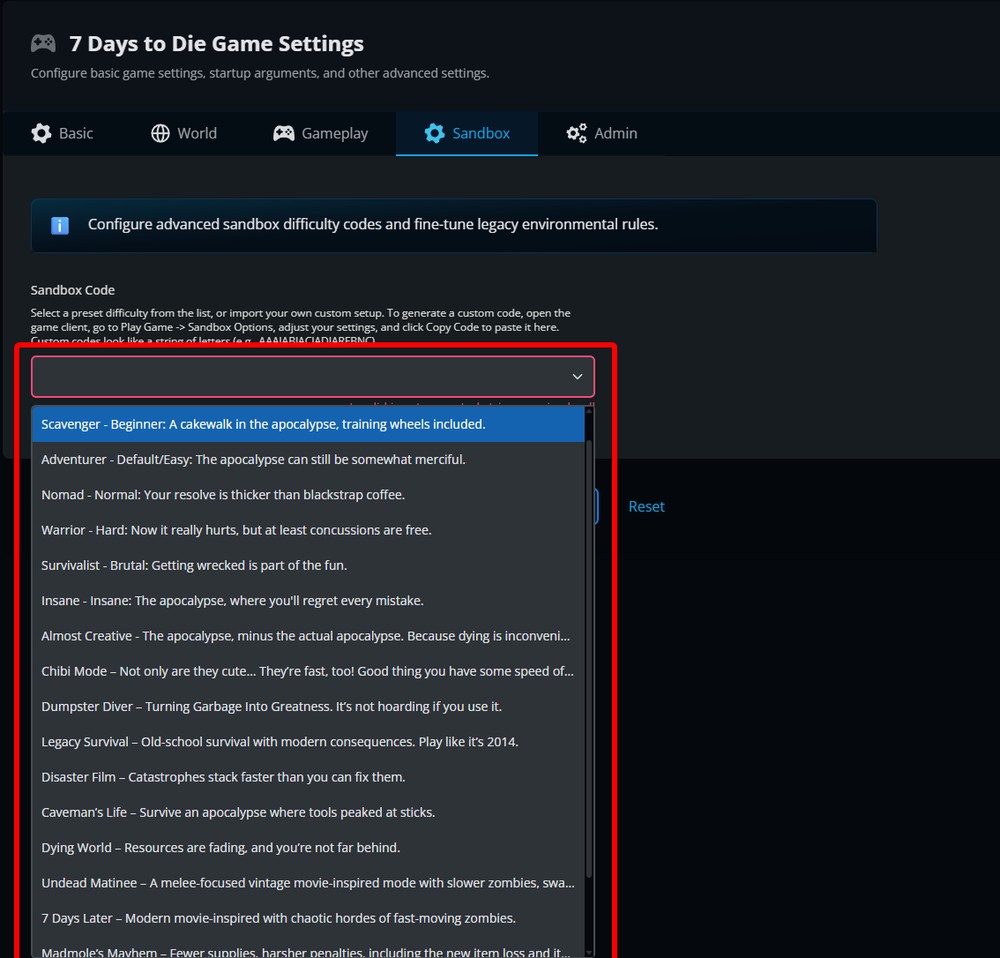
You can now click on the dropdown and select one of the many available options or you can enter your own generated code.
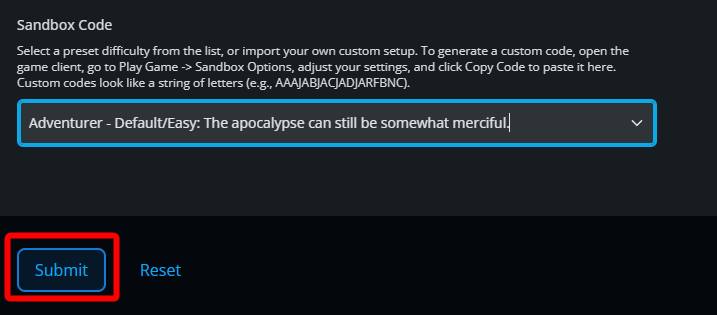
Once selected or you have entered a code, click on Submit.
Restart your server.
Generating a custom code.
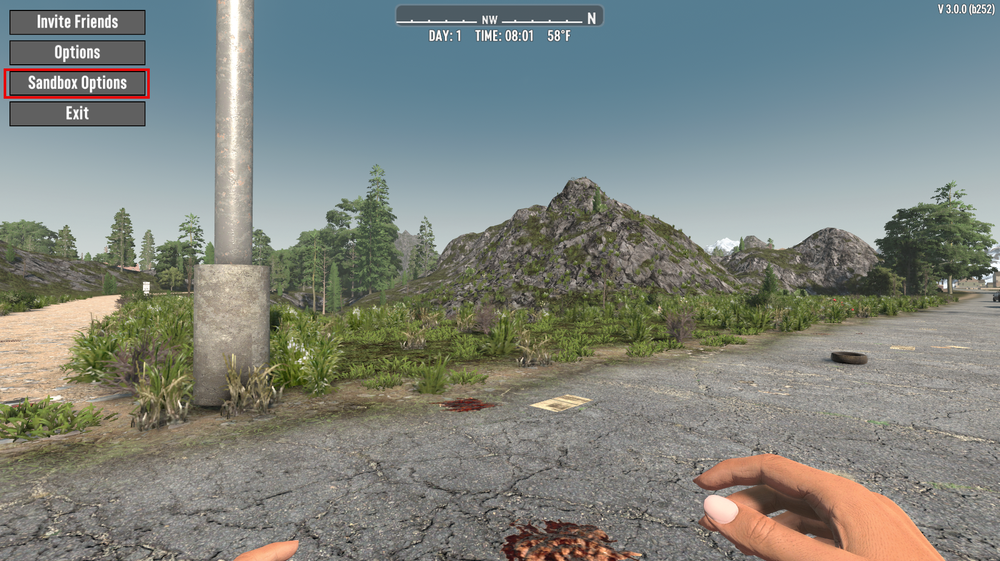
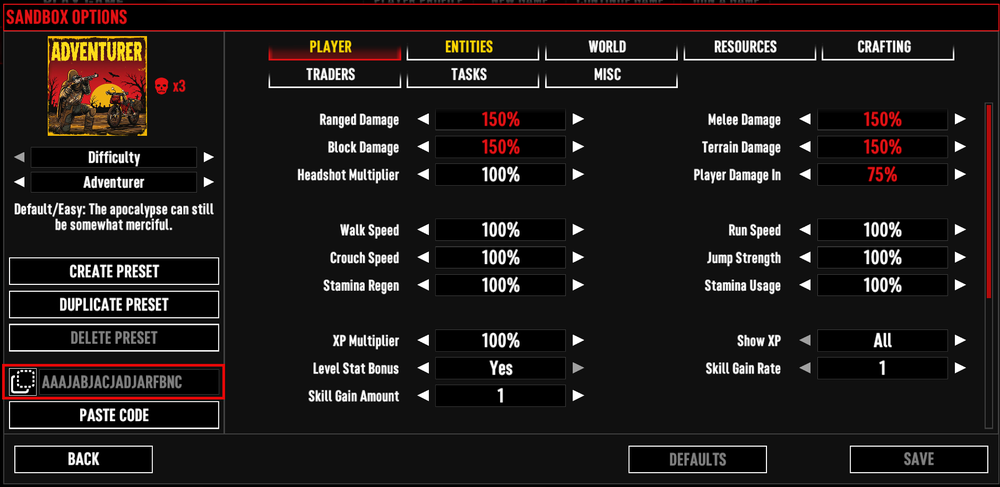
To generate a custom code, open the game client, go to Play Game -> Sandbox Options, adjust your settings, and click Copy Code to paste into the Sansbox code box on your panel. Custom codes look like a string of letters (e.g., AAAJABJACJADJARFBNC).
Conclusion
You have now changed the sandbox settings on your 7 days 2 die server. This is an excellent way to be able to customize and get your server gameplay to be exactly as you want using a predefined set of settings or your own custom generated code.
Need Help?
If you have questions or run into any issues, our support team is here to help! Reach out using the support widget on our website or visit our support center for further assistance.