


How to Join Your StarRupture Server

Before you get sucked into surviving the open world of StarRupture, you first need to connect to your server! The steps below will walk you through the process of connecting to your server.
Connect via IP Address
Log in to your Nodecraft dashboard.
Navigate to your StarRupture server.
Open the StarRupture server control panel.
In the Overview section, locate the Numeric IP in the Server Information block.
Copy the IP.
Launch StarRupture.
Click Join Game.
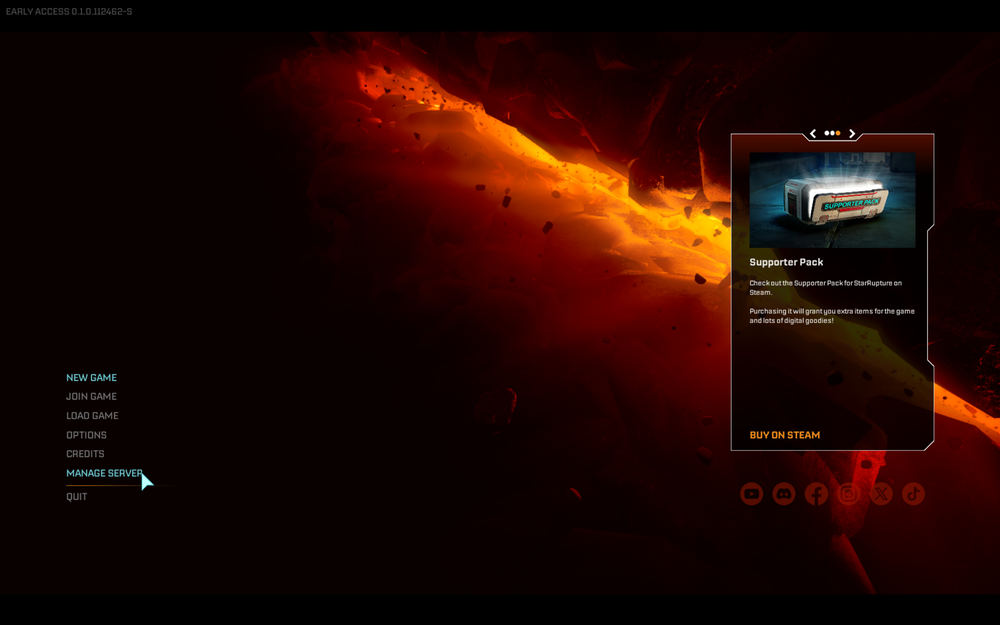
Click Dedicated Server.
Paste the IP address into the Server Address field.
If you've set a password, enter that into the available box.
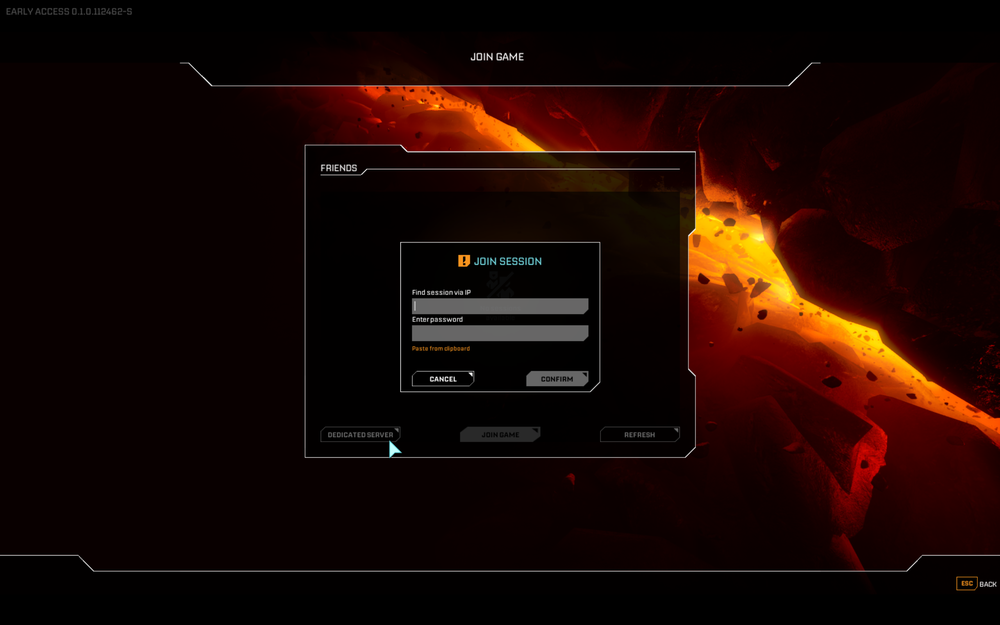
Click Confirm.
Troubleshooting Tips
Before attempting to connect, ensure your server is running and displays 'Online' in green on the server's control panel. If you've just purchased your StarRupture server, you will need to start it before attempting to join!
Conclusion
You can share the server IP with friends so they can join you, and use the Nodecraft dashboard to manage your server settings as needed. Your server is now ready for you to start exploring!
Need Help?
If you have questions or run into any issues, our support team is here to help! Reach out using the support widget on our website or visit our support center for further assistance.