


How to Set a Player Password on a StarRupture Server

This guide is going to cover how you can set up a player password on your StarRupture server. The player password will aid you in moderation by restricting who can join the server to who has the password.
Setting a password
Open your Dashboard
Locate your StarRupture server and click on the Panel button.
Once on your StarRupture Panel, click on Game Settings.
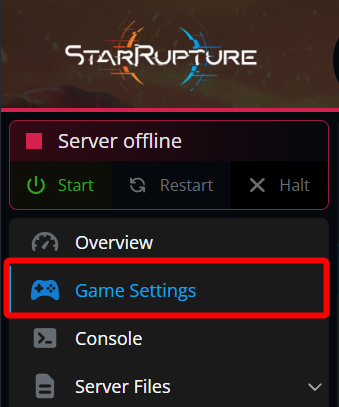
Once on the Game Settings page, locate the Player Password section, and click on the Show button.

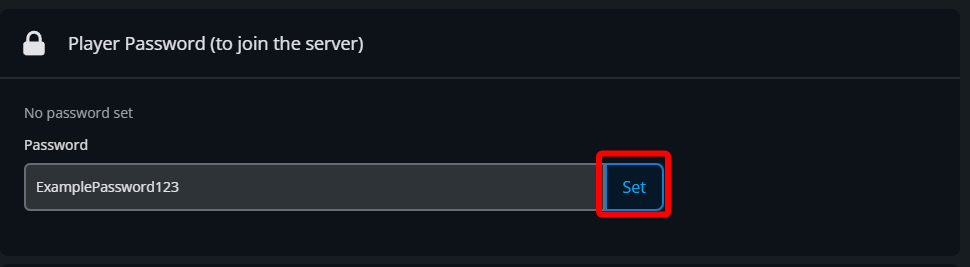
Once shown, you should see that there is No password set. Click on Set Password.

Enter your new password, then click Set.
Start your server
Conclusion
You have now set a player password on your StarRupture server. This will enable access control and restrict the ability to join to those with the password that you provide.
Need Help?
If you have questions or run into any issues, our support team is here to help! Reach out using the support widget on our website or visit our support center for further assistance.