


How to Reset Your Password
Getting locked out of your account is frustrating, especially when you just want to get back to what you were doing. The good news is that resetting your password is quick and easy! Follow the steps below to reset your password and regain access to your account. If you feel stuck at any point, do not hesitate to reach out to Nodecraft's Support Team for help. ⭐
Reset Your Password
Go to www.nodecraft.com
Click Login in the top right corner.
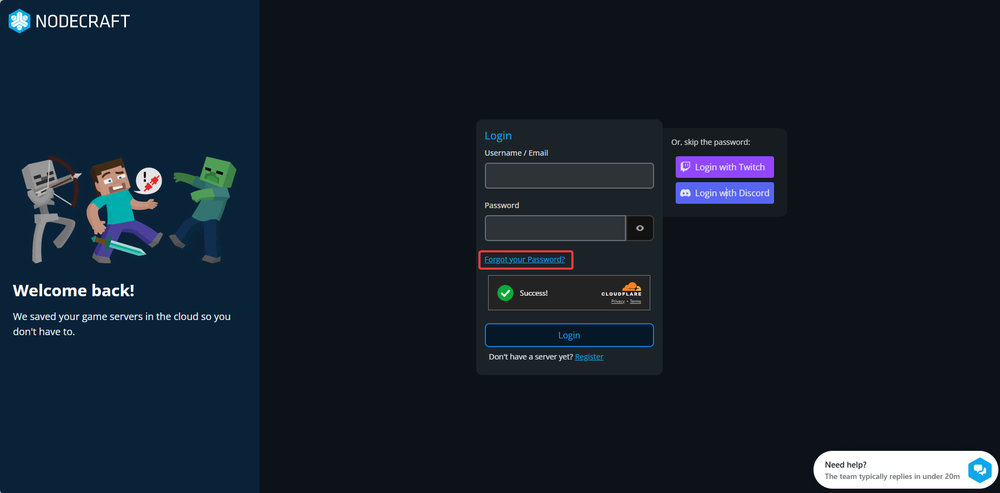
On the login page, click Forgot your Password?.
Next, enter your email into the available email field.
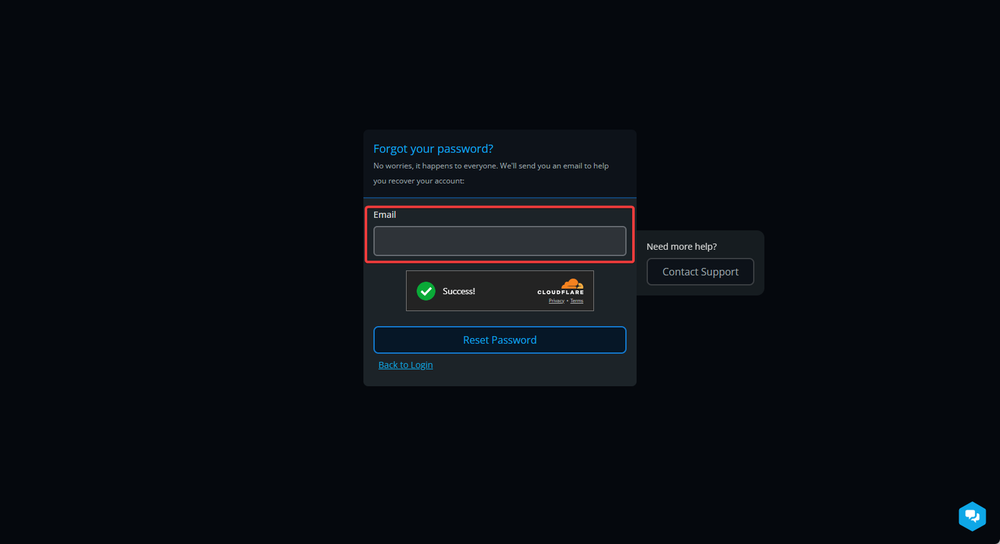
Click Reset Password.
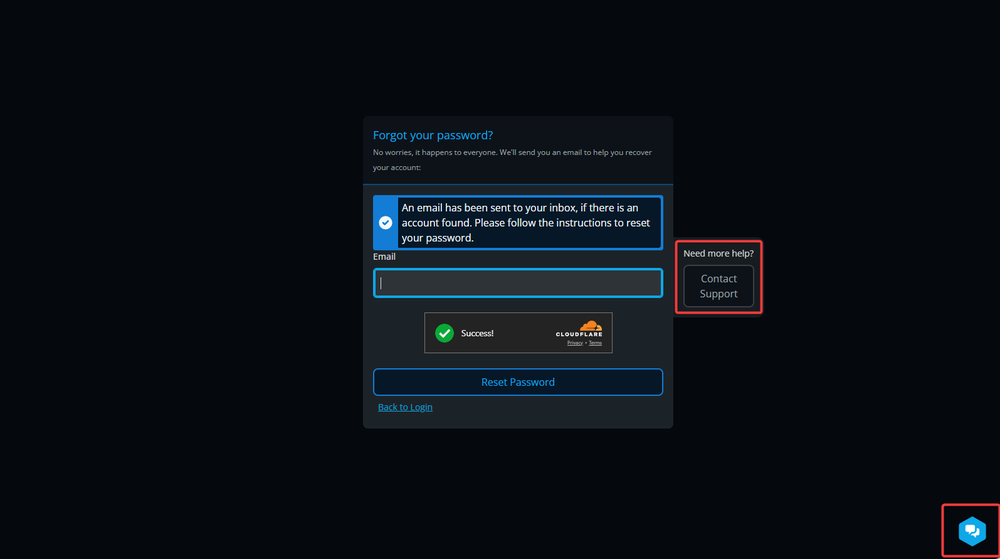
An email with instructions will now be sent to the email address for your account. If you do not receive this email, be sure to check your Spam/Junk folder.
Note: Email still didn't arrive? Contact our support team for help!
Conclusion
That’s all there is to it. After resetting your password, you should be able to log in and continue managing your server as normal. If you run into any issues during the process or do not receive the reset email, our Support Team is always happy to help. Just reach out and we will get you back into your account as quickly as possible.
Need Help?
If you have questions or run into any issues, our support team is here to help! Reach out using the support widget on our website or visit our support center for further assistance.