


How to Change the Gamemode on s&box Servers

We've included some of the most popular gamemodes as quick selections in our control panel's Default Gamemode field, but you can add any of the over 100 gamemodes to your server easily using the gamemode's Identifier.
Change the Default Gamemode in the Nodecraft Control Panel
Access your Dashboard: Log in to your Nodecraft Dashboard.
Open the Server Panel: Click the Panel button (represented by the gear icon) on your s&box server card.
Navigate to Settings: Locate Game Settings in the left-hand menu of your control panel.
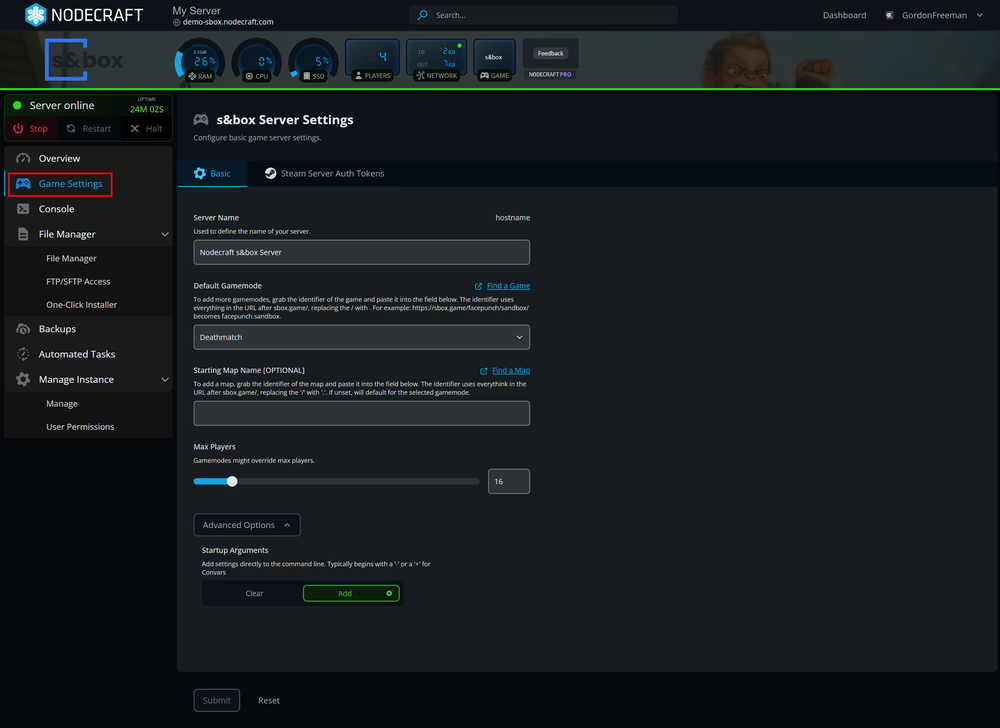
Update the Gamemode: In the Basic tab, find the Default Gamemode field. You have two options:
Quick Select: Choose a popular gamemode from the dropdown menu.
Manual Entry: Paste in the gamemode's URL or Unique Identifier (i.e wpr.ttt) from the s&box games workshop directly into the field and press Enter. Nodecraft's control panel will automatically convert the URLs into the proper Unique Identifier format.
Save Changes: Click the blue Submit button at the bottom of the page to save your configuration.
Restart Server: Restart your server for the new gamemode to initialize.
How to Find a s&box Gamemode's Identifier
Nodecraft's control panel with automatically translate s&box games URLs into the proper ID format, but If you need to manually enter a game identifier, this can be created using the following method:
Locate the Gamemode: Visit the s&box games workshop in your browser and click on the gamemode you wish to host.
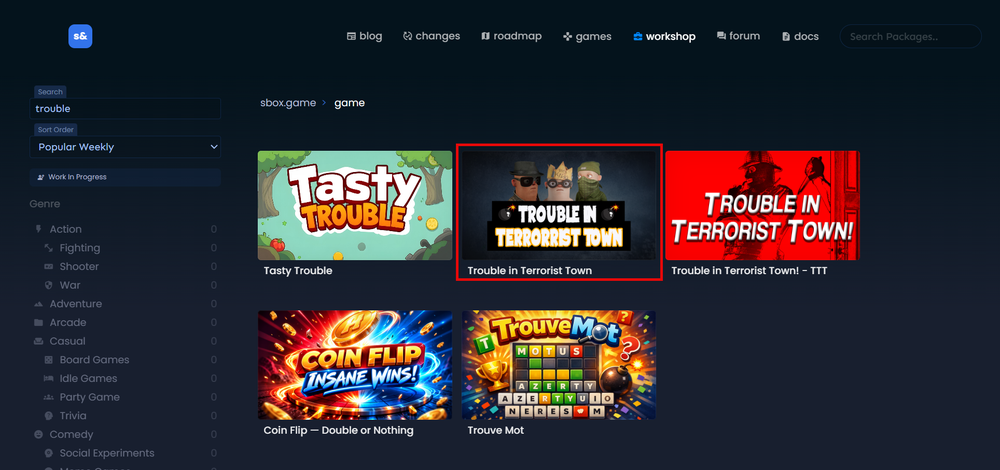
Copy the ID from the URL: Look at your browser’s address bar. The identifier is the part of the URL following sbox.game/.
Format for the ID: In the gamemode ID, you will replace the forward slash (/) with a period (.).
Example: If the URL is
sbox.game/wpr/tttthe identifier iswpr.ttt.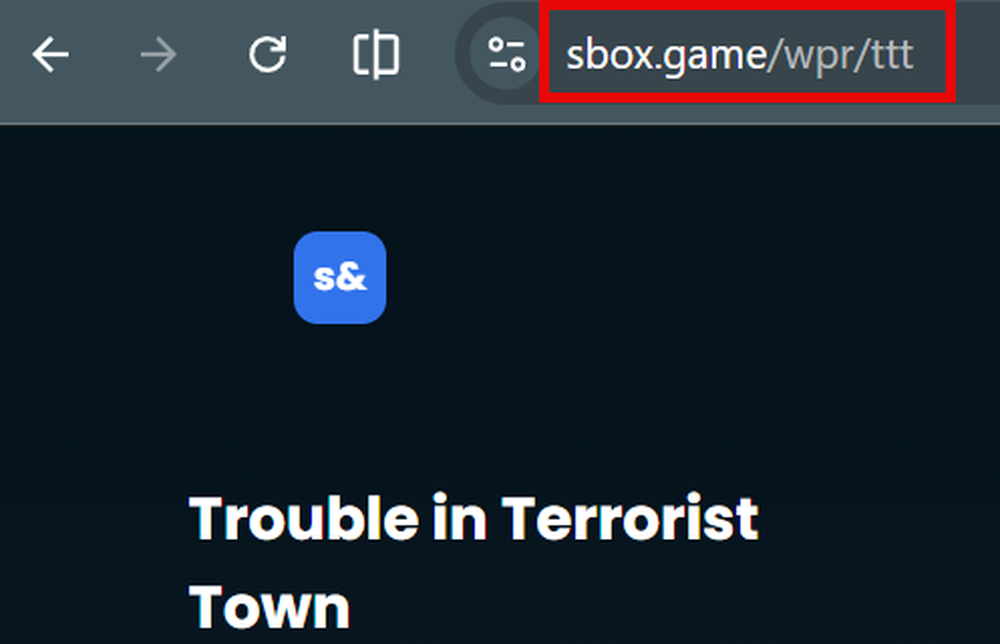
Conclusion
Changing your s&box gamemode is a seamless process through the Nodecraft control panel. Whether you're sticking to the classics or hosting a brand-new community creation, just remember to Save your changes and Restart the server to see the updates in action!
Need Help?
If you have questions or run into any issues, our support team is here to help! Reach out using the support widget on our website or visit our support center for further assistance.