


How to Set Up My Nodecraft Lite Server
Nodecraft Lite gives you the tools you need to let your community start and join your server without giving them full access to your Nodecraft account. Before you send everyone loose on it, there are a few settings worth checking first.
Set Up Your Lite Share Settings
Navigate to your Nodecraft dashboard.
Locate your Lite server and click Manage.
Click Lite Settings in the menu on the left under Administration.
From here, you can manage who is allowed to wake your server, your Share Link, Discord integration, and other Lite-specific options.
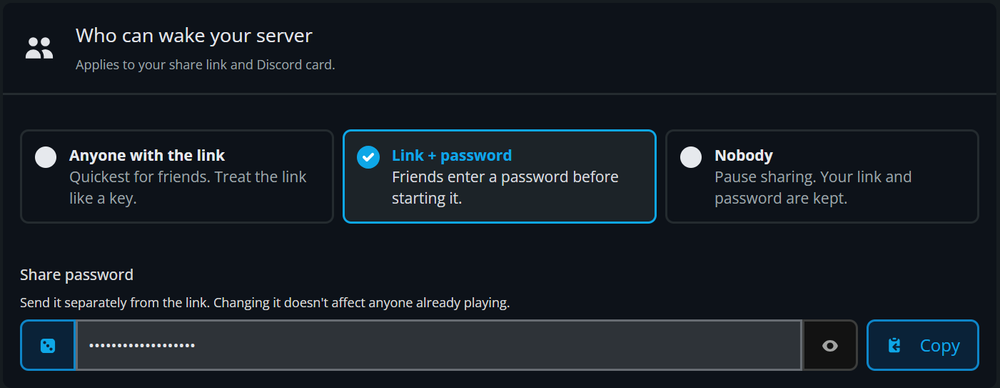
Choose Who Can Wake Your Server
The Who Can Wake Your Server setting controls access to starting the server while it is hibernating.
By default, your server uses a Share Link with a password. You can also remove the password if you want anyone with the link to start the server or disable sharing entirely.
If you ever need to immediately prevent anyone from starting the server through your Share Link, change this setting to Nobody.
For complete instructions on configuring your Share Link and password, see our guide here!
Set Up Discord Integration
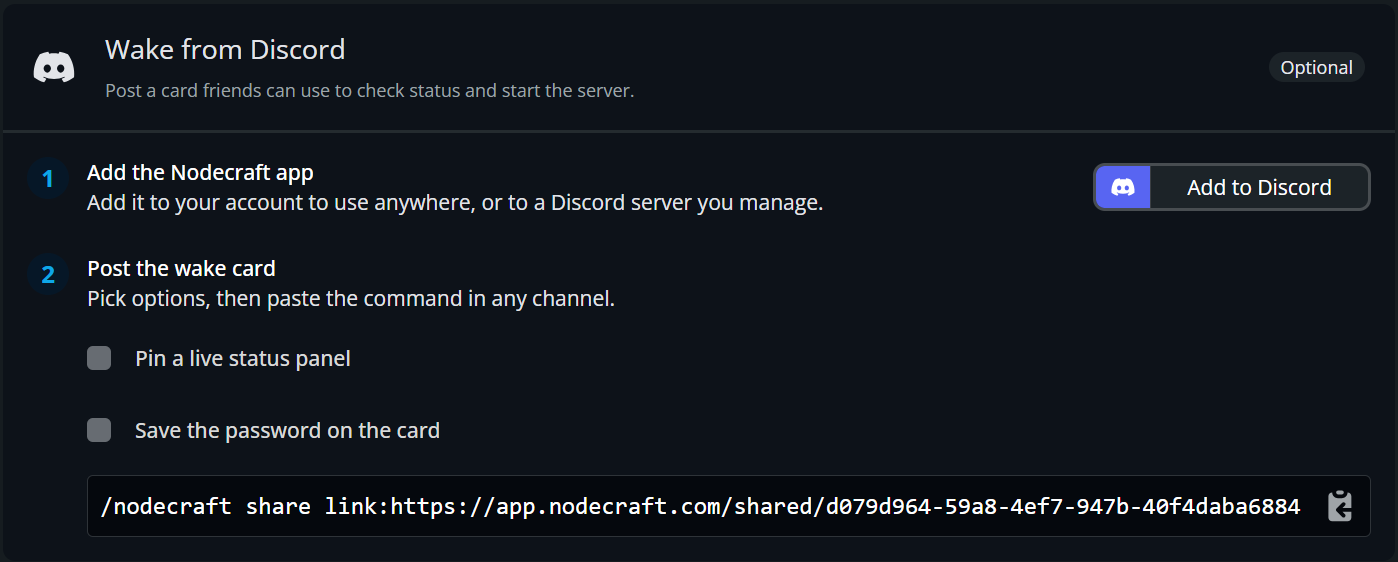
Nodecraft Lite can also connect to Discord, allowing your community to check the server status and wake it without opening the Share Page.
You can create a permanent server status card, allow users to start the server, and optionally save the Share Password to the card.
Warning: Saving the password to the Discord card makes it available to anyone who can access that Discord channel.
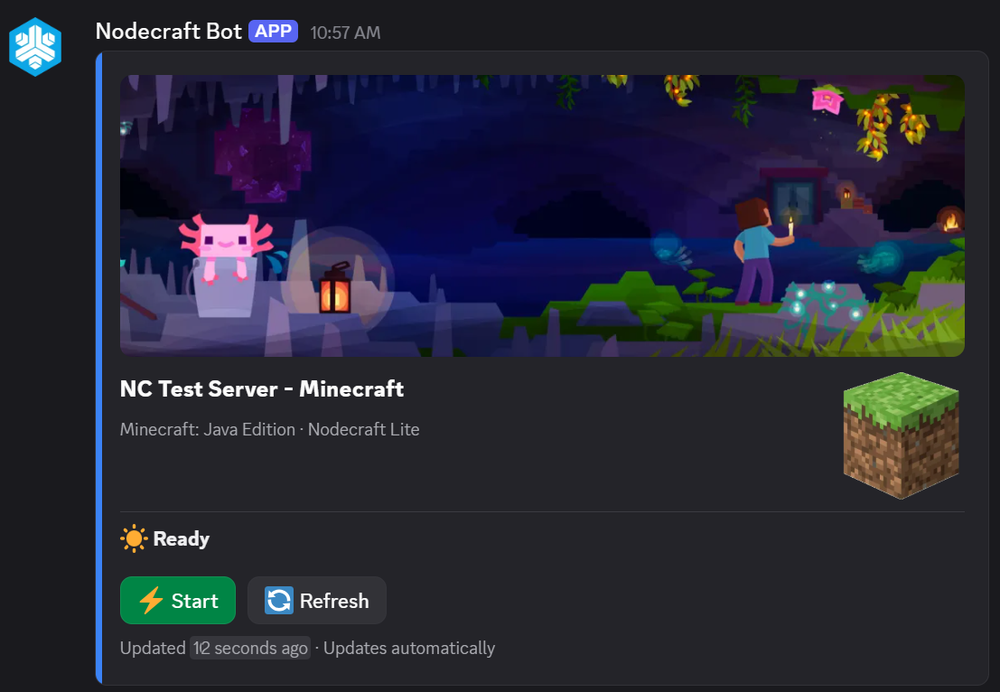
For more information, check out our guide on Discord Integration! 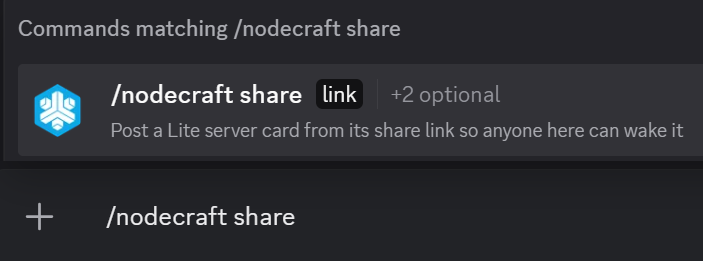 NOTE: The result will look like this if you choose "Pin a live status panel"
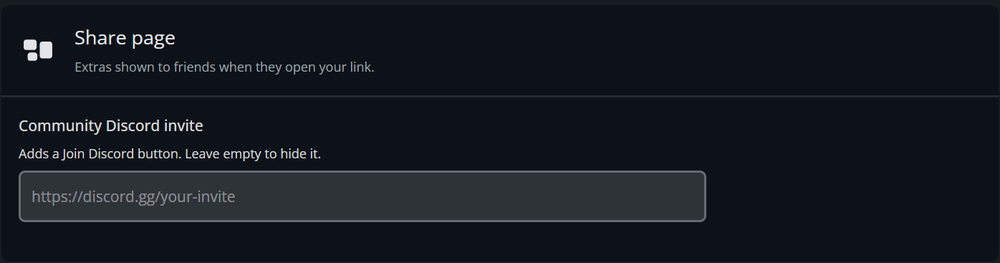
Customize Your Share Page
Your Share Page gives players one place to check your server status and find the information they need to join.
If you want the Share Link page to include your Discord URL, you can set that up here.
Enable Auto Update on Start for Steam Games
For supported Steam games, Auto Update on Start allows your server to check for updates when someone wakes it through the Share Link.
Review the warning shown in the panel before enabling this option, since automatically updating a server can occasionally cause compatibility problems with mods or other server files.
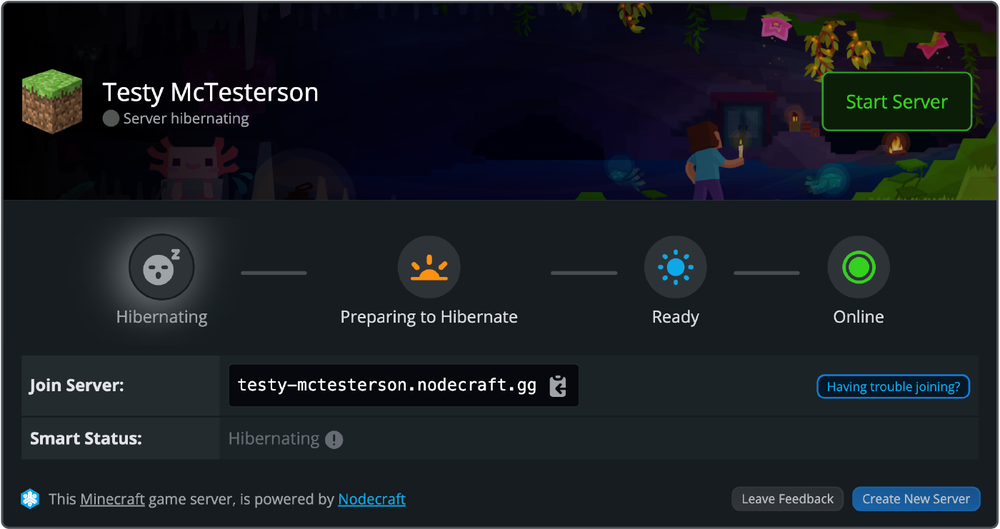
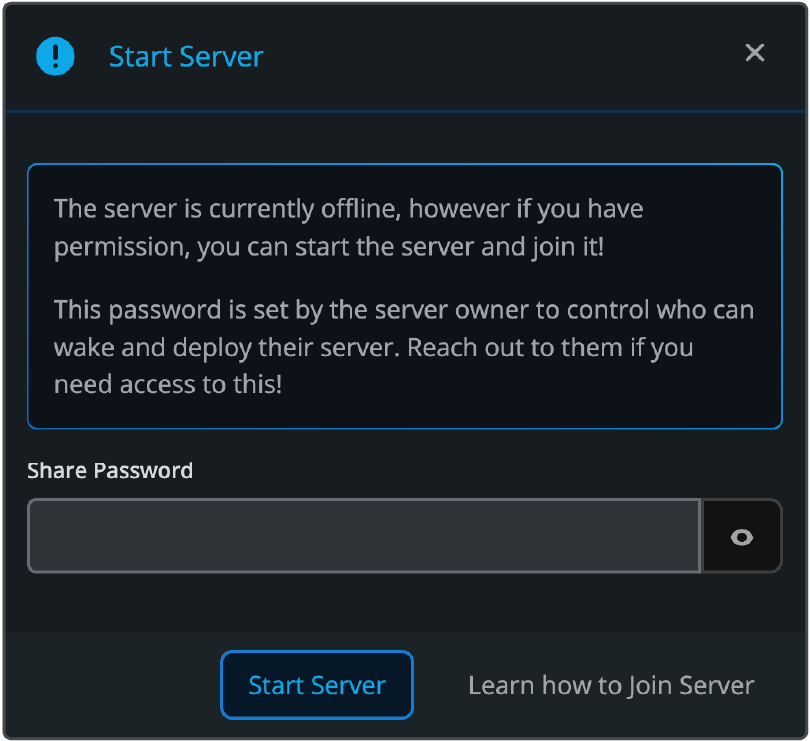
Preview Your Share Link
Now that you’ve set up your Share Link page, take a look at it to see what your community will see. If you have the password enabled, they will have to enter it when they press “Start Server”.
Learn About Lite's Hibernation
Nodecraft Lite is a unique product. We offer budget prices for premium products by enabling servers to hibernate when not in use. If you want to understand how hibernation works and how to turn your server back on when it's time to play, read our article: When Does my Nodecraft Lite Server Shut Down?
Final Thoughts
Your Nodecraft Lite server is now ready for your community! With your sharing settings configured, your friends can start the server when they're ready to play without needing access to your Nodecraft account.
Need Help?
If you have questions or run into any issues, our support team is here to help! Reach out using the support widget on our website or visit our support center for further assistance.