


How to Have Multiple Worlds on Your Minecraft Server

In this guide we are going to go over how you can have multiple worlds on your Minecraft server. This is mostly commonly done with the plugin multiverse. Having multiple worlds can be very useful if you wanted to separate the server out such as having a dedicated creative mode world or a dedicated world for PVP only. It should be noted though that this can impact server performance if you don’t have enough resources available on your server.
Installing Multiverse
Before proceeding, your server will need to be running a version of Minecraft that supports plugins such as Paper or Spigot.
Open your dashboard.
Locate your Minecraft server and click on the Panel button.
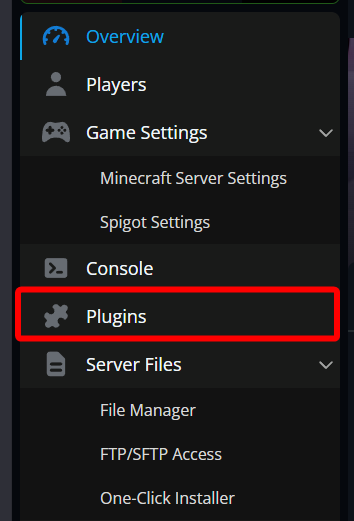
Once on your Minecraft server panel, stop then server then click on the Plugins tab.
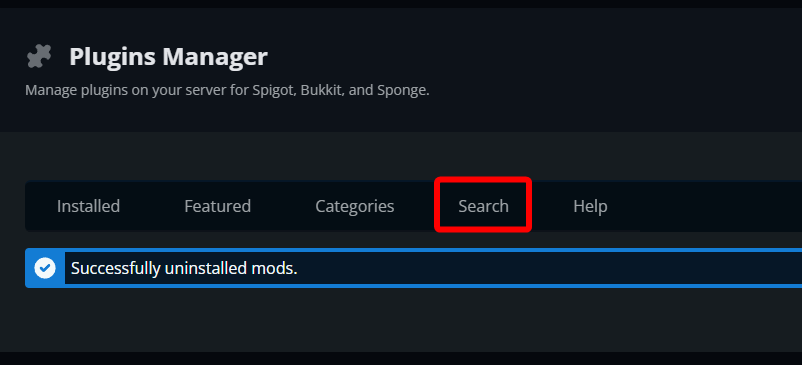
Once on the Plugins Manager page, click on the Search tab.
Search for Multiverse-Core and then click install.

Once installed you can start your server.
Creating a World
Return to your console or join your server with OP or the proper permissions.
Run the following command: /mv create (any name) (normal, nether or the_end)

This process can take a few seconds to a minute depending on server load. You will know it’s completed once the server reports World '(name)' created!
Conclusion
Adding multiple worlds to your Minecraft server gives you a simple way to separate different types of gameplay without running multiple servers. With Multiverse installed, creating a new world is just a single command, allowing you to spin up creative spaces, PVP arenas, or additional survival environments whenever you need them. Just be careful of generating too many!
Need Help?
If you have questions or run into any issues, our support team is here to help! Reach out using the support widget on our website or visit our support center for further assistance.