


How to Connect to your SCUM Server

If you've just set up your SCUM server with Nodecraft, connecting to it is straightforward. Follow these steps to join your server and start playing.
Note: Before you begin, make sure your SCUM game is up to date, and your server is fully started in the Nodecraft control panel.
Gather your server's IP and port from the Overview page in the Nodecraft panel and combine them using a colon.
Example:
1.1.1.1:1234Example screenshot: IP and port highlighted on the Overview page in the Nodecraft panel.
Launch SCUM and go to the Multiplayer tab in the main menu.
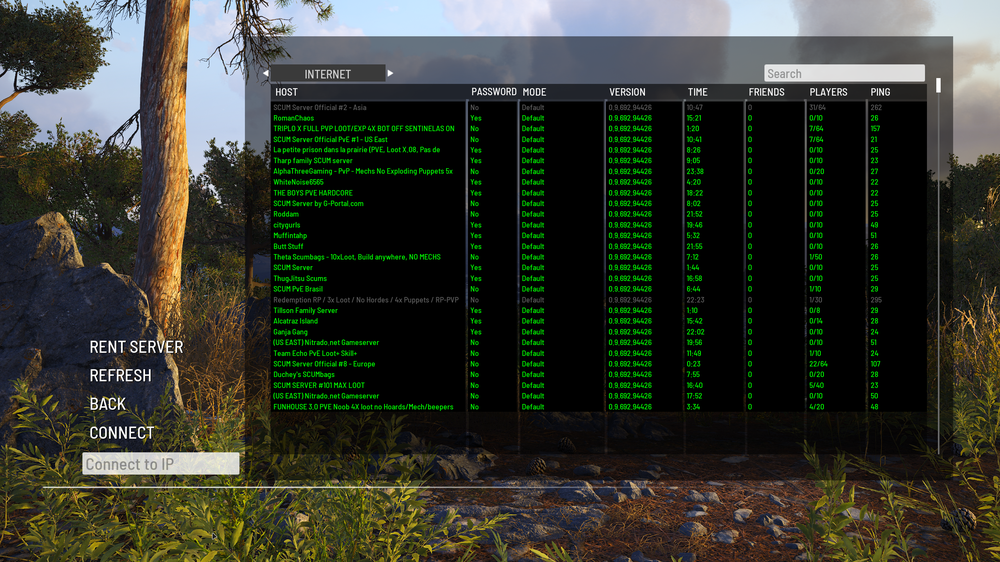
Paste your server's IP and port into the box at the bottom.
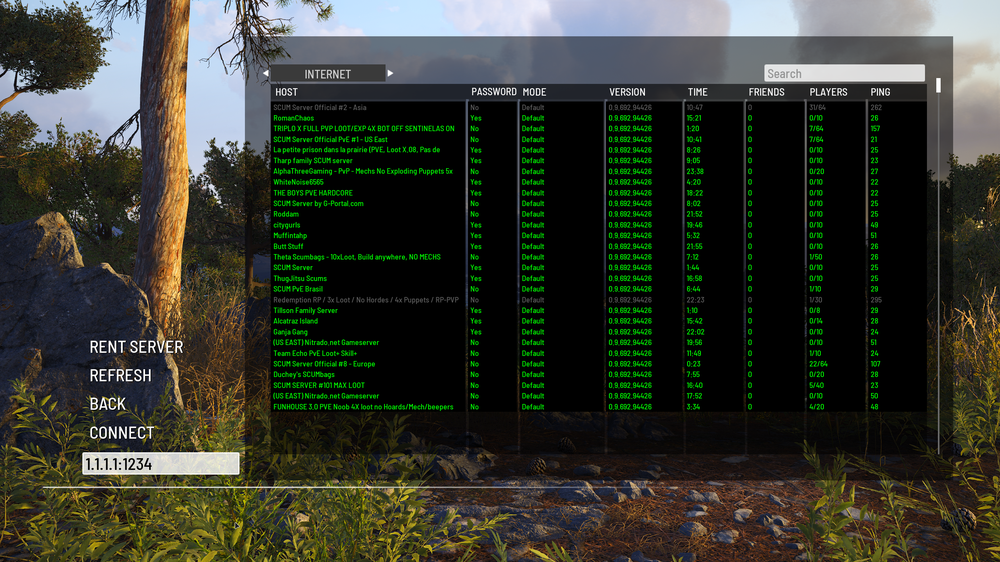
Press Connect to join your server.
Note: If the connection fails, double-check the IP and port, and make sure your server is fully started in the Nodecraft panel.
Need Help?
If you have questions or run into any issues, our support team is here to help! Reach out using the support widget on our website or visit our support center for further assistance.